 StockDock
A typical European portfolio mixes currencies without anyone planning it: Apple and Nvidia in US dollars, a world ETF on Xetra in euros, a fund bought in London in pounds. Adding those numbers up naively gives a total that means nothing. Here is what a correct multi-currency view needs, and how StockDock does it.
Two things move your P&L, not one
When you hold a US stock from Europe, your gain or loss in euros has two parts:
- The price move: the stock went from 100 to 120 dollars.
- The currency move: the dollar strengthened or weakened against the euro between your purchase and today.
If the stock rose 20% while the dollar fell 10% against the euro, your gain in euros is about 8%, not 20%. A tracker that converts your cost at today's exchange rate hides the second part and shows a P&L that doesn't match your broker.
What a correct setup looks like
- One reporting currency for totals and P&L, the one you think in.
- Each holding priced in its own currency, from the listing you bought.
- Your cost converted at the exchange rate of the purchase day, and today's value at today's rate.
Setting it up in StockDock
- In Settings, choose the Portfolio Currency: euro, US dollar, British pound, Swiss franc, Japanese yen, Canadian dollar or Australian dollar. Totals and P&L are converted into it.
- Optionally pick a Stock Price Currency too, to see every price in the watchlist converted, or keep each symbol in its original currency.
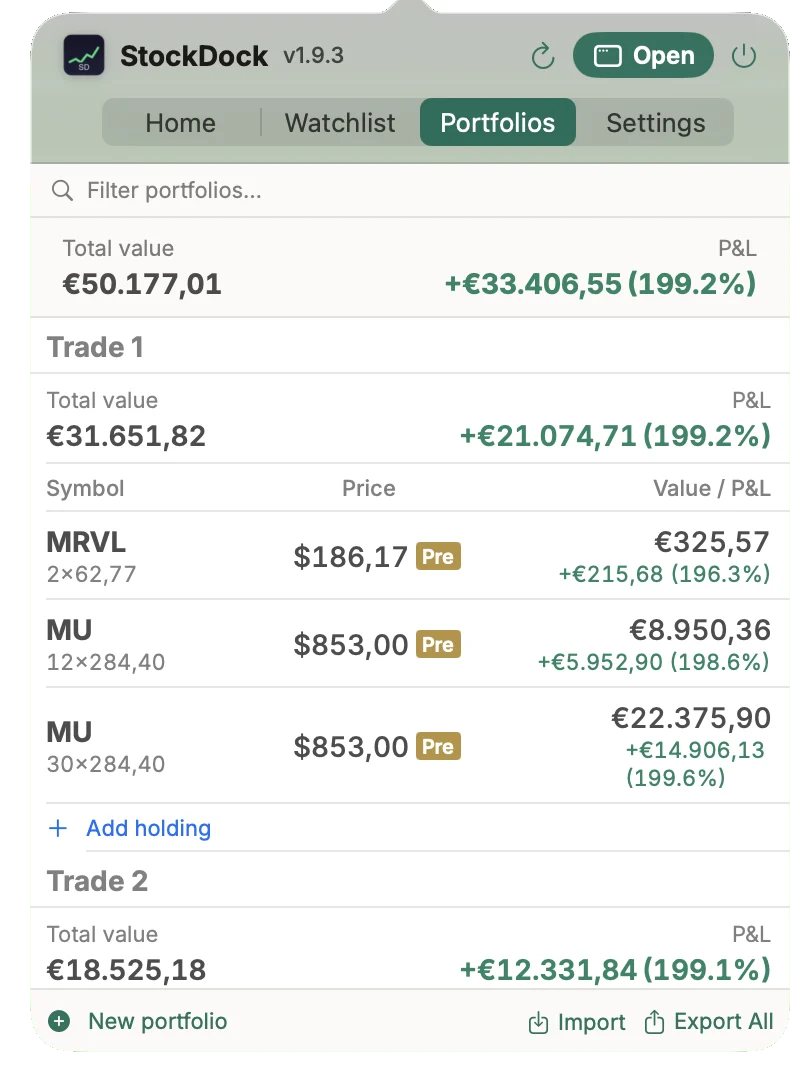
- When you add a holding, enter quantity, average price in the listing's currency and the purchase date. StockDock uses that date to apply the historical exchange rate to your cost, so the P&L includes the currency effect, as your broker computes it.
If you bought the same stock in several lots, add one lot per purchase date: each keeps its own rate. A stock held in more than one portfolio (say, the same ETF at two brokers) appears as one combined row in the Positions view of the desktop window, with total shares, average price and P&L.
Picking the right listing
The currency of a holding is the currency of the listing you add. If you bought IE00B4L5Y983 on Xetra, add EUNL.DE (euros), not IWDA.L (dollars): how to find the Yahoo Finance ticker from an ISIN lists the common exchange suffixes.
A few more options
- Tax on gains: enter your tax rate and the P&L is shown net of tax; leave 0 for gross figures.
- Weights based on: allocation and concentration can use what you invested (cost basis) or what it's worth today (market value).
- Export / Import: save one or all portfolios to a JSON file and import them on another Mac.