 StockDock
macOS doesn't have a setting for it. Apple's Stocks app opens in its own window, and its widget lives in Notification Center or on the desktop, not in the menu bar. To keep a price (or your whole portfolio's profit and loss) next to the clock, you need a menu bar app.
This guide uses StockDock, which is free and open source, but the steps are similar in most ticker apps. If you want to compare options first, see the best stock ticker apps for the Mac menu bar.
1. Install the app
With Homebrew:
brew install simonsruggi/tap/stockdockOr download the signed .dmg, open it and drag StockDock into Applications. It needs macOS 14 Sonoma or later and runs natively on Apple Silicon and Intel. When you launch it, an icon appears in the menu bar and nothing appears in the Dock: that is expected.
2. Add the symbols you follow
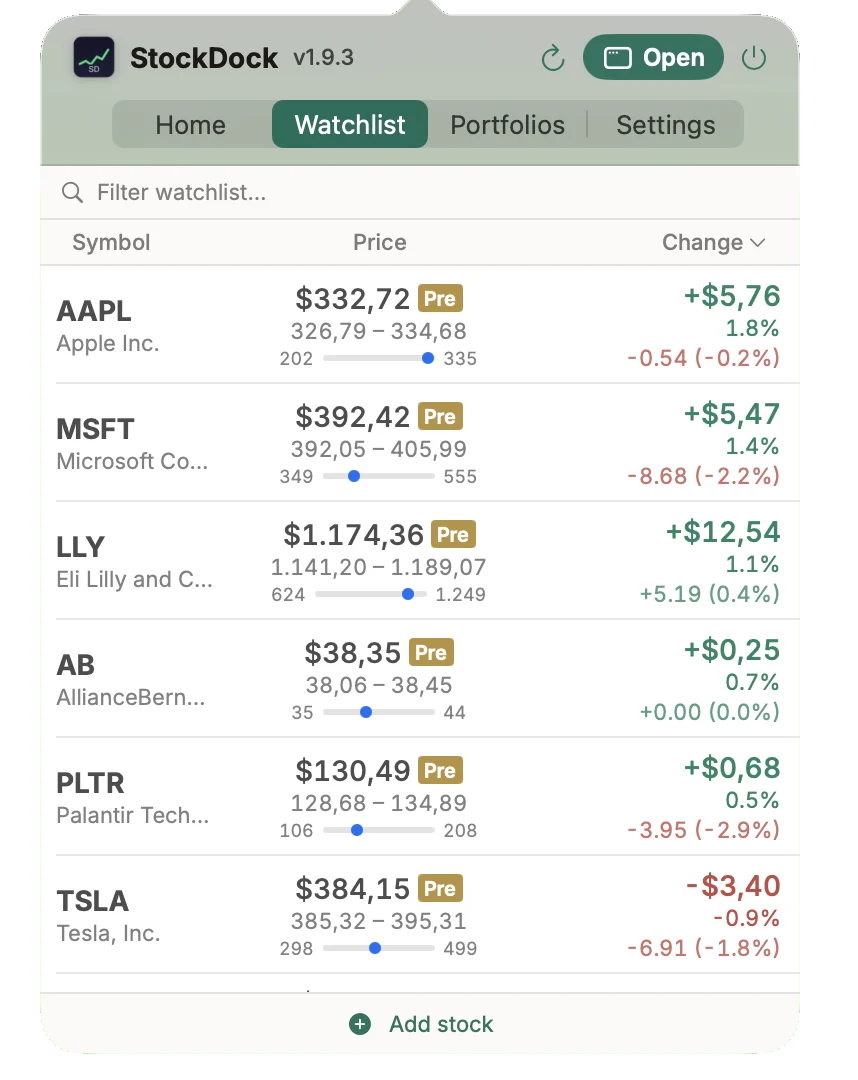
Click the menu bar icon, open the Watchlist tab and click Add stock. You can search by:
- Symbol, such as
AAPLorNVDA - Company name, such as
Tesla - ISIN, such as
IE00B4L5Y983, which is handy for European ETFs (more in how to find the Yahoo Finance ticker of an ETF from its ISIN)
Anything with a Yahoo Finance symbol works: stocks, ETFs, indices like ^GSPC (S&P 500), crypto like BTC-USD and currency pairs like EURUSD=X.
3. Choose what the menu bar shows
In Settings → Menu Bar Display you decide what sits next to the icon:
- P&L, Daily P&L, P&L % or P&L + % of your portfolios
- Total value of your portfolios
- Best stock, Worst stock or Best & worst of the day from your watchlist
- Your watchlist, cycling one symbol at a time, like a classic ticker (you choose the order)
- Icon only, if you'd rather keep the bar clean and click when you want to look
If you don't hold anything yet, the best and worst movers of your watchlist are a good way to see how the market is going without tracking a portfolio.
4. Decide which prices count
By default you see the regular session. Turn on Extended hours (Pre/Post) to see pre-market and after-hours prices with a PRE or POST badge; they also move the P&L in the menu bar. There is a separate option for overnight and weekend prices: pre-market, after-hours and overnight prices on a Mac explains the differences.
5. Open the full window when you need room
The popover is for a quick look. Click Open for a desktop window with your watchlist, portfolios, charts from 24 hours to the full history, and market news.
How fresh are the prices?
StockDock receives live prices from Yahoo Finance over a WebSocket, roughly one update per second per symbol while a market is trading, and falls back to a refresh every few minutes if the live connection drops. Exchanges set their own rules for what is real time and what is delayed, so a few markets can lag behind.